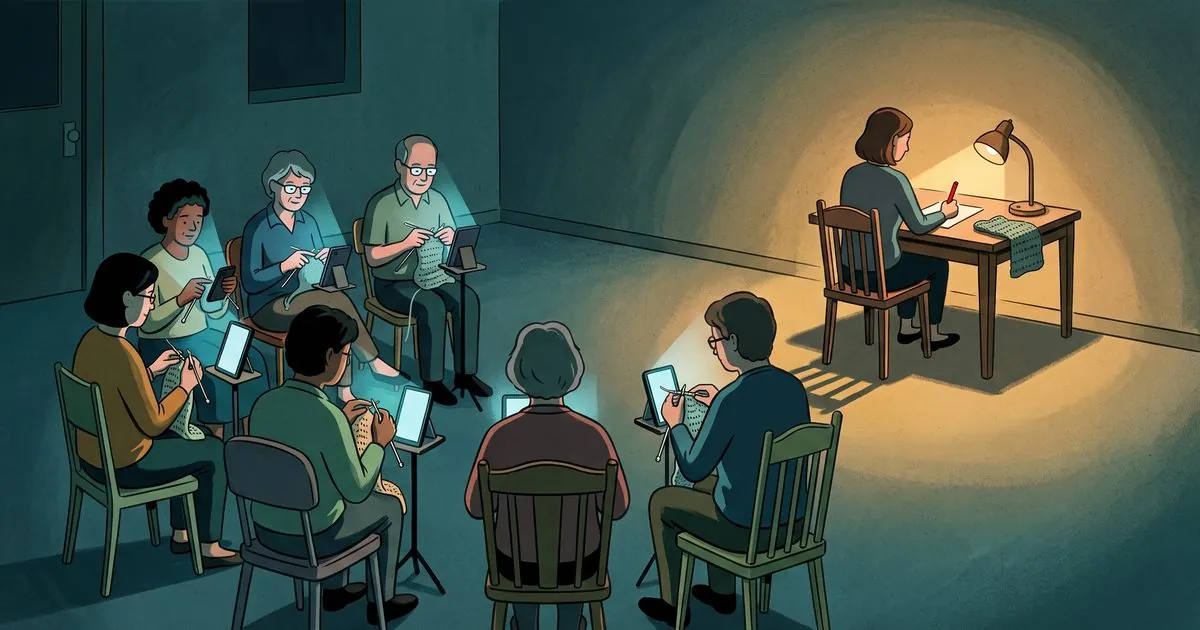
The best crochet and knitting pattern app, depending on what you mean by app
Most crochet and knitting apps are built for people following a pattern: row counters, pattern libraries, stitch tutorials. A much smaller group help you make one.
If you want to design on a phone, Patternum is free and covers both crafts. If you want to write and lay out the pattern you are going to sell, you want a browser on a desktop rather than a phone app, and this post explains why.
First, which kind of app do you mean
“Pattern app” gets used for three completely different things, and a search result that mixes them is useless to you.
Apps for following a pattern. Row counters, pattern libraries, video tutorials. This is the large majority of what exists, and if you are making somebody else’s pattern it is what you want.
Apps for designing something. Chart builders, blanket planners, colorwork tools. These produce a picture of a thing, and some of them produce written instructions from it.
Tools for writing the pattern you sell. The document with the rounds, the stitch counts, the photos and the cover. This is the smallest group by far, and it is where almost nothing exists.
I write and sell crochet patterns, so the third one is the category I actually live in. If you are here for the first one, the honest answer is that you have lots of good options and you do not need my advice.
Apps for following a pattern
Knitrino is the most interesting of these. Its own site is direct that it is for knitters rather than designers: workshop style patterns built for a phone, video tutorials for individual stitches, interactive colorwork charts, row by row progress. It pairs patterns with curated yarn kits. The app is free to download and patterns are sold individually. There is also an optional membership called Sprouts Club, from $38.75 a month, which buys a monthly exclusive pattern, knit nights and optional yarn kits at the higher tiers. That is a membership on top of the app, not the price of using it. iPhone and Android only, and its site says plainly there is no web or desktop version. Knitting only.
Beyond that there are many row counter apps. They are cheap or free, they do one small thing, and there is not much to choose between them.
Apps for designing on a phone
This is where it gets more useful, and where the answer depends on what you make.
Patternum is the closest thing to a real pattern writing app. Free, iOS and Android, and it covers knitting and crochet. You add gauge, abbreviations and materials, you can build charts with predefined or custom symbols, patterns can include images and video, and it generates a PDF you can download, sell or distribute. Finished patterns import into their Row Counter app so a maker can follow along interactively.
Its layout is automatic and responsive, which reflows to fit a phone. That is a genuine strength if your customers read on a screen, and a genuine limitation if you want to decide that this photo sits here at this size next to this round and sell that exact page.
Crochet Studio is narrower and good at what it does. Granny square and stripe blanket generators with drag and drop, real time yarn usage calculations, a color palette tool that takes suggestions from a photo you upload, and PDF output with written instructions. Free with a Plus tier at $2.99 a month or $29.49 a year. iPhone, iPad and Vision, and it needs iOS 15.1 or newer.
If you design blankets it is worth the twenty minutes. If you design amigurumi it will not help you.
PatternGenius builds knitting charts from a vector symbol set, increases, decreases, textures and cables, and publishes them to your camera roll or as a PDF. It generates written instructions from the chart. Free with in app purchases at $2.99 and $24.99, and it syncs to iPad and Mac. Knitting only.
KnitPatternCreator is a knit chart builder: place stitch symbols, change yarn colors, add repeat boxes, cut and paste, unlimited undo. Free with a $2.99 one time activation. One review on its own listing says you cannot create a single chart on the free version, so treat the free tier as a preview rather than a plan. Knitting only.
A word about the AI ones
YarnPal describes itself as an all in one crochet tutor and pattern maker. It has a library of more than 500 patterns it says are expert reviewed, structured courses for beginners, project tracking, and a Pattern Canvas for your own designs. It also has two AI features: identify a stitch from a photo, and an AI image generator for pattern inspiration. Free with in app purchases ranging from $3.99 to $49.99.
I want to be fair here, because the app is not pretending to be something it is not. Its AI generates images for inspiration and identifies stitches. That is a different thing from writing a pattern, and its own listing does not claim otherwise.
But this is the distinction to hold onto whenever you see AI attached to a crochet app. An image of a thing is not a pattern for that thing. A picture that looks like a crocheted fox tells you nothing about how many stitches are in round 14, and a pattern that was generated rather than worked will waste your yarn and your evening. Check which one you are being sold.
What none of these do
Every app above either helps somebody follow a pattern or helps you build a chart or a plan. None of them lay out the finished document you sell, on a fixed page, with your written rounds and your stitch count tables and your twenty photos in the right places.
Patternum comes closest and takes a different road, generating the layout for you rather than letting you compose it.
That gap is not an accident of the app stores. It is because the job wants a big screen, a mouse and a page you control, and that is not what a phone is for. It is also why most designers end up laying their patterns out in Canva or PowerPoint, which solves the page and knows nothing about patterns.
So what do I use
I built NodeStitch, and I should say the unhelpful part first: it is not a phone app. It runs in a desktop browser. If a phone app is what you came for, nothing below applies to you and Patternum is where I would send you.
It is a layout tool for the pattern you are going to sell. Rounds and rows number themselves as you type. Photos carry numbers that renumber when you insert one in the middle. Tables are built to hold stitch counts. It reads a handwritten pattern from a photo of your notebook. And a review pass reads what you wrote and flags a round that needs more stitches than the one before it produced, a repeat that does not divide evenly, a fasten off with no rejoin after it.
It does not make charts. If you need charts, one of the apps above will serve you better, and so will the desktop charting programs.
It does not write patterns. It helps a designer write their own. It flags what looks wrong and it will make the correction, but only one you have read and ticked yourself. Nothing changes in your pattern unless you approve it, and it does not invent a single stitch.
There is a free plan with unlimited projects and 1 GB of photo storage. Photos are what use that space, and an ordinary pattern is well under it. What eats it fast is background removal: a cutout comes back at several megabytes where the photo you started from was a couple of hundred kilobytes. Writing patterns in the editor is free, and so is the numbering that does most of the work: rounds and rows, photos, the layout and style controls, the 200 plus fonts, the stitch dictionary, and three saved templates. The rest of what I described above is Pro, which means the handwriting upload, the stitch counter, Pattern Review, background removal, version history and the export. The catch worth knowing before you start: a free account can build the whole pattern and cannot export the PDF. Pro is $9.99 a month or $99 a year.
Which one to pick
You are making somebody else’s pattern. Knitrino if you knit and want the pattern and the yarn together, or any row counter app if you just need to keep your place.
You design blankets and want to plan colors and yardage. Crochet Studio.
You build knitting charts and want them on a phone or iPad. PatternGenius, or KnitPatternCreator if you want a one time fee instead of a subscription.
You want to write and sell patterns and you work on a phone. Patternum. It is free, it covers both crafts, and nothing else in the app stores is trying to do this.
You want to write and sell patterns and you work at a desk. That is what I built NodeStitch for, and it is still worth looking at the desktop pattern software before you decide, because Stitchmastery and the others are better than me at charting and I would rather you knew that.