How to use Pattern Keeper with cross stitch charts
Pattern Keeper is an Android app that opens a cross stitch PDF, joins its pages into one chart, and lets you mark stitches as you go. It can only do that with a PDF it can read. In our tests, that meant three things: the key writes each floss as “DMC 350”, brand and number in the same box, the file holds one chart, and the chart is at least 20 stitches on its longer side.
If you design cross stitch, that’s the checklist for a Pattern Keeper friendly PDF. If you stitch, it explains why some patterns import cleanly and others don’t.
Why I tested this
I don’t cross stitch. I crochet. When I added cross stitch charts to NodeStitch, I wanted the PDFs to work in Pattern Keeper, because plenty of stitchers work from it. So instead of guessing what makes a PDF work there, every rule below comes from exporting real charts from NodeStitch and importing them into Pattern Keeper, then changing one thing at a time until it broke.
Pattern Keeper is made by Datadromeda, not by us. NodeStitch has no tie to it. These are just the results.
What Pattern Keeper does for a stitcher
Once a PDF imports, you get “We successfully imported your chart!” and the whole chart as one grid, with the pages joined so you can stitch across a page break without flipping.
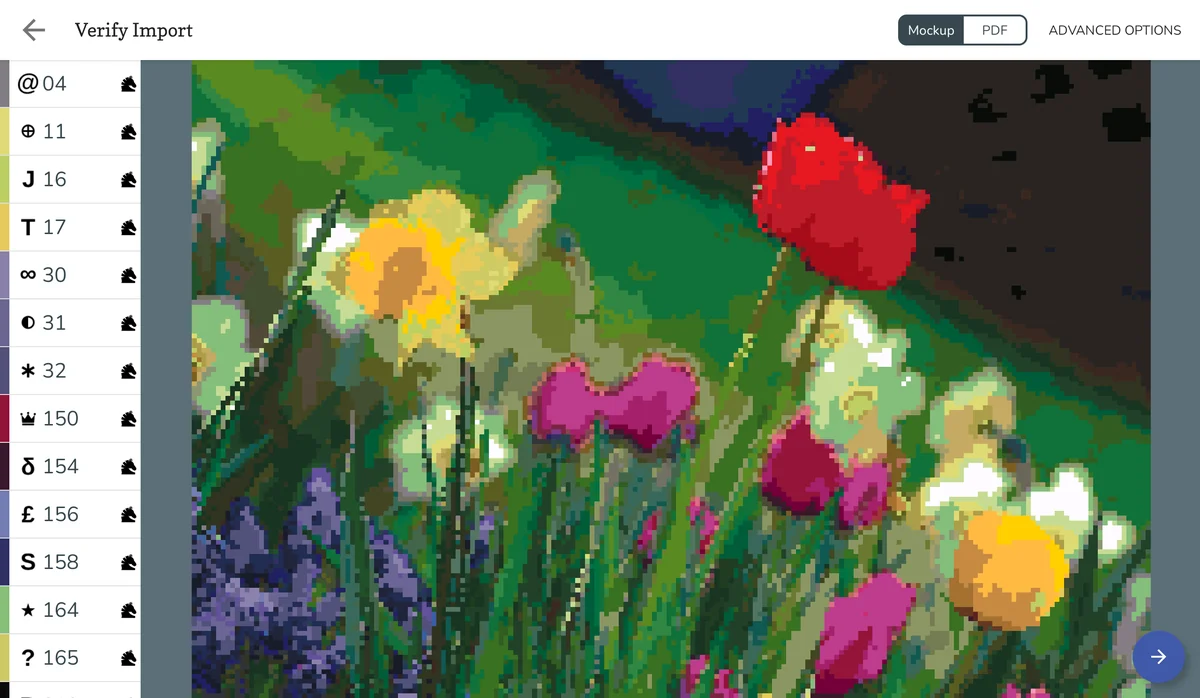
To show it here, we exported the tulip garden from NodeStitch’s cross stitch demo, a photo chart 200 by 133 stitches in 79 DMC colors, and imported it. Pattern Keeper read all 79 and showed this preview before opening the chart:
From there:
- Tapping a color in the list highlights it on the chart, so you can see every square of that color at once.
- Dragging over squares and confirming marks them done, and they fill in with their own floss colors. Marking is the app’s version of going over the squares on a paper chart with a highlighter as you stitch them, so you never lose your place. Marking the whole red tulip below came to 839 of 26,600 stitches, 3.15%, and each color’s remaining count went down.
- Your progress stays. On a smaller test chart, we left the chart, opened it again, and the marked stitches were still there.
- French knots showed as dots. Backstitch lines did not show on the chart, and neither knots nor backstitch counted toward the total. Plan on reading those from the printed chart.
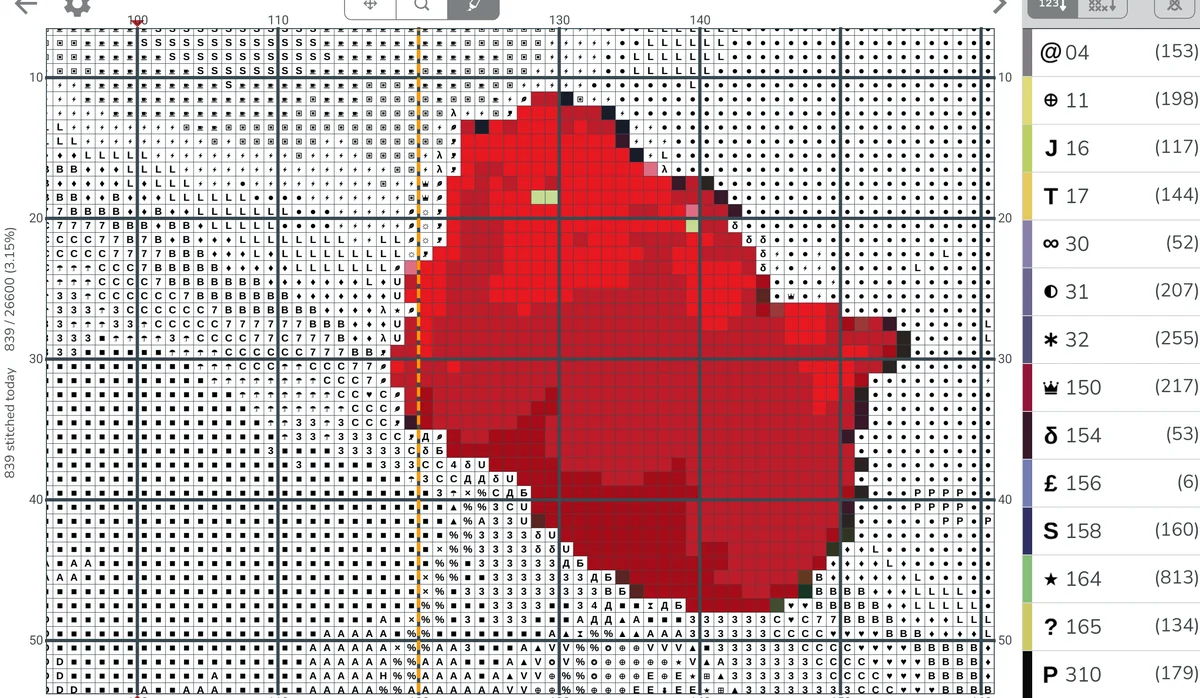
The colored squares are the stitches marked as done. Everything still showing a symbol is waiting to be stitched.
Pattern Keeper’s site offers a one month trial with every feature, and the trial is what we tested on.
What makes a PDF Pattern Keeper can read
1. The key writes the floss as “DMC 350”, brand and number in one box
This was the biggest surprise. Pattern Keeper finds the key by its column headings, and it reads a floss only when the brand and number sit together in the same box, and no other column of numbers, like strands, comes before it. We edited real PDFs to check each layout:
| How the key’s number column was written | Did Pattern Keeper read the floss? |
|---|---|
| “DMC 350” in a Number column, before any other number | Yes |
| Just “350” | No |
| “DMC 350”, but with a Strands column before Number | No |
| A separate Brand column saying DMC, and “350” next to it | No |
| A “DMC” heading over a column of bare numbers | No |
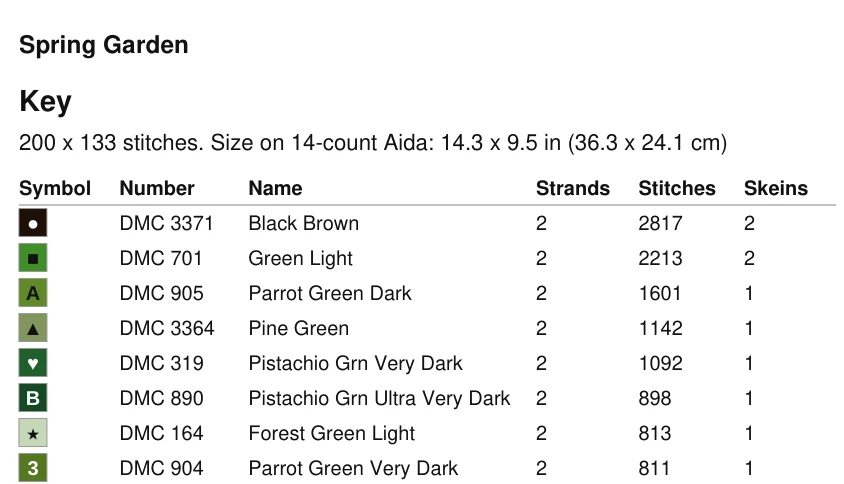
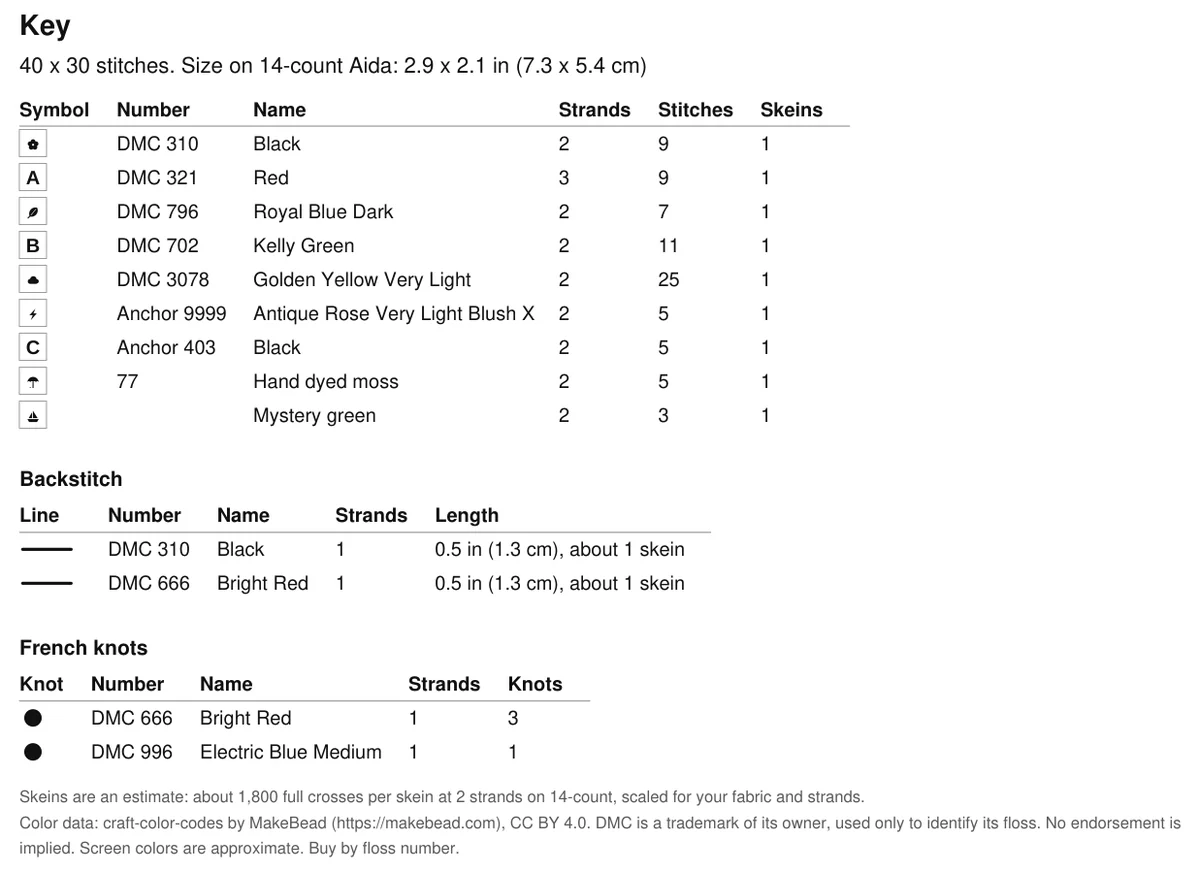
So the key that works reads, left to right: Symbol, Number (“DMC 350”), Name, then anything else you want, like strands, stitch counts and skeins. Here’s the top of the tulip garden’s key:
2. Only DMC comes in with its number
When the key mixed DMC with Anchor, a hand dyed thread and an unbranded color, Pattern Keeper read all five DMC rows and left the other four for the stitcher. Those colors still import with their symbols. The stitcher just types in the thread themselves. If your buyers use Pattern Keeper, DMC is the brand that arrives filled in. To look up a DMC number or name, here’s the full DMC floss color chart.
3. One chart per file
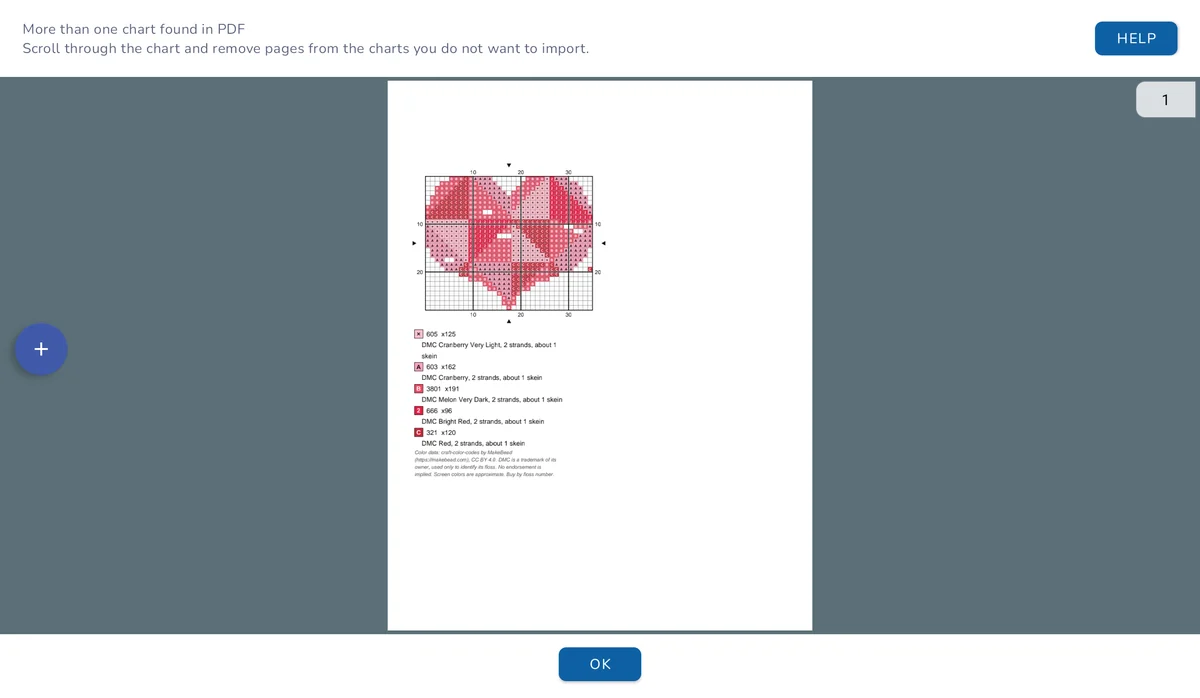
A full pattern PDF often has the chart in it twice: once on the pattern page and again at full size at the end. Pattern Keeper answered “More than one chart found” on that file, and “Grids don’t make sense” on a busier one. Deleting the extra page in Pattern Keeper’s import screen fixed it, but that’s a step your buyer shouldn’t have to know about. The clean answer is a separate PDF that holds only the chart.
4. At least 20 stitches on the longer side
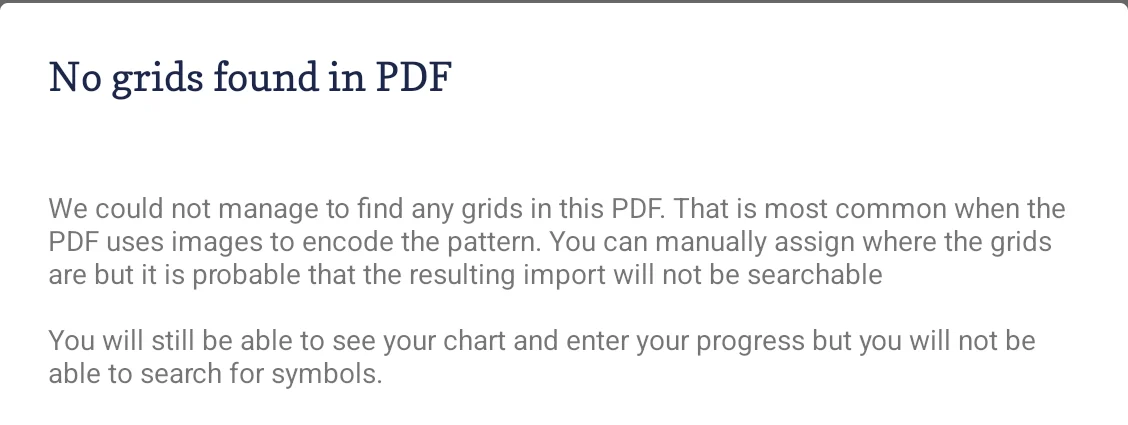
Small charts don’t import at all. Pattern Keeper says “No grids found in PDF”:
We exported charts at different sizes to find the line:
| Chart size (stitches) | Imported? |
|---|---|
| 13 x 11, 14 x 14, 16 x 16, 18 x 18, 19 x 19 | No |
| 20 x 20, 30 x 30 | Yes |
| 20 x 5, 20 x 13, 13 x 20 | Yes |
| 30 x 13, 13 x 30, 30 x 19, 19 x 30 | Yes |
Only the longer side matters. A 20 by 5 border imports and a 19 by 19 square doesn’t. We also tried the 13 by 11 chart with an older key layout and it failed the same way, so the size really is the cause.
5. Full crosses are the part it tracks
In our tests, the full crosses were what Pattern Keeper counted and let us mark. French knots appeared as dots and backstitch didn’t appear, so keep a printed or regular PDF chart for those.
How a Pattern Keeper PDF is laid out in NodeStitch
NodeStitch has a separate export just for this, so you don’t have to set any of it up by hand. Open the chart, click Export, and under Pattern Keeper PDF pick Letter or A4, then click Export for Pattern Keeper. That PDF has:
- The key first, with Symbol, Number (“DMC 350”), Name, Strands, Stitches and Skeins, in that order.
- The chart in portrait pages about 60 stitches across, with the same square size and the row and column numbers on every page.
- No overlap between pages and no overview page. Pattern Keeper joins the pages into one grid, and repeated stitches on an overlap could be counted twice.
- Symbols as real text, not pictures, so they can be read and copied out of the PDF.
- Backstitch as a plain line in its floss color.
- Your copyright line, the same one as the printable PDF.
If the chart is under 20 stitches on both sides, the export window warns you before you click. And use this export rather than Download > PDF on the whole pattern, for the “more than one chart” reason above.
The Pattern Keeper PDF is part of Pro, the same as the other files you sell. Drawing the chart, the key and the regular printable PDF are free. On a free account, that printable PDF has a small “Made with NodeStitch.app” mark in the corner of each page. If you only need it for one chart, you can unlock that chart for $2.99 instead of subscribing, which opens its Pattern Keeper PDF and a printable PDF without the mark. The help article has the details.
A quick checklist for designers
- In the key, write the brand and number together in one box, like “DMC 350”, not “350” alone or DMC in a column of its own. Put that column before any other column of numbers, like strands or stitch counts.
- Give Pattern Keeper users their own PDF with just the key and the chart.
- Make sure the chart is at least 20 stitches on its longer side.
- Don’t overlap pages.
- Expect other brands and your own floss to need the stitcher to fill them in.
- Keep backstitch and French knots on your printable chart too.
On your phone
The NodeStitch iPhone app can open a cross stitch PDF as a chart, free for now, and follow it in Stitch mode: tap a color, mark squares done and see what’s left of each color. You can make and edit cross stitch charts there too.

Tell me what I missed
We tested this carefully, but I’m not the one stitching from these files. If you use Pattern Keeper and something here doesn’t match what you see, or a NodeStitch PDF doesn’t import for you, tell me at support@nodestitch.app.
The rest of what cross stitch charts in NodeStitch can do, including the key, symbols and photo to chart, is in the cross stitch post.