What's the best pattern writing program for crochet and knitting?
Pattern writing software helps you turn a design into a pattern you can sell: charts, written rounds, photos and a PDF a buyer can print. The best program depends on which half of that job you need. Charting tools draw the chart, Canva and PowerPoint lay out the page, and NodeStitch, which I built, does both on one page. The chart updates when you edit it, rounds and photos number themselves, and Pattern Review checks the counts.
How should you judge a pattern writing program?
I design crochet patterns and sell them. I wrote my first ones in PowerPoint, moved to Canva when PowerPoint got too tedious, and then built NodeStitch because neither one knew what a pattern was. So I’m not neutral about the last program here, and I’m not going to pretend to be.
What I can do is be specific about what the job needs, and say plainly where something else does it better. This is what I look for:
- Charts, drawn on a grid with real stitch symbols or colors
- Written rows from the chart, so the words and the chart can’t disagree
- Page layout, meaning you decide where the photos, tables and rounds go on a page you can sell
- Round and row numbering that fixes itself when you insert a line
- Photo numbering that fixes itself when you insert a photo
- A stitch count check before a tester finds the mistake for you
- A PDF a buyer can print
Almost nothing does all seven. Most programs do one half very well.
What do the other programs do well?
Charting programs are built for the chart, and the good ones have been at it for years. Stitchmastery is the most complete knitting charting tool I know of, and it writes your instructions out, but you export the chart and lay out the pattern somewhere else. Stitch Fiddle runs in the browser, covers more crafts than anything else, and is the cheapest paid plan here. EnvisioKnit, for knitting, builds a whole pattern document from your charts and keeps it updated when the charts change; it’s the closest thing to what I’m describing in this post.
Layout programs are what most designers actually use, me included for years. Canva and PowerPoint give you a fixed page where you put anything anywhere, and Canva makes a better cover than anything else here. What they don’t do is know what a pattern is: you number every round and photo by hand, nothing checks a count, and a chart is a picture you pasted in.
Phone pattern makers like Patternum, a free iOS and Android app, let you build the whole pattern on your phone and lay it out for you automatically.
I went through each of these one by one, with the older programs too, in crochet and knitting pattern software, compared.
How do they compare?
Other programs’ details come from their own websites, checked November 17, 2026. “Not described” means their site didn’t say, and I’m not going to fill in a blank for somebody else’s product.
| Charts | Written rows from the chart | Page layout | Rounds number themselves | Photos number themselves | Checks stitch counts | Chart updates in the pattern | On your phone | Crafts | Price | |
|---|---|---|---|---|---|---|---|---|---|---|
| Stitchmastery | yes | yes | no, export and lay out elsewhere | no document | no document | rows and columns add up | no, export the image again | no, macOS, Windows and Linux | knitting | £70 / $95 once |
| Stitch Fiddle | yes | on Premium | no, chart only | no document | no document | chart check on Premium | no, download it again | in the phone’s browser | crochet, knitting, cross stitch and more | free, or $5 a month / $30 a year |
| EnvisioKnit | yes | yes | a pattern document built from your charts | not described | not described | not described | yes | no, Mac and Windows | knitting | not listed on its home page |
| Patternum | yes | not described | automatic, made for phones | not described | not described | not described | not described | iOS and Android app | knitting, crochet | free |
| Canva / PowerPoint | no | no | yes | no, typed by hand | no, typed by hand | no | no, paste a new picture | phone apps for editing | none | free plan / Microsoft 365 |
| NodeStitch | yes | yes, every row on Pro | yes, drag anything anywhere | yes | yes | yes, Pattern Review | yes | iPhone app to capture and follow patterns and charts; Android coming | crochet, knitting, cross stitch | free, or $9.99 a month / $99 a year |
What makes NodeStitch different?
You shouldn’t have to pick a half. You get what a charting program gives you and what a page like Canva gives you, in the same file, and they talk to each other. Then the iPhone app carries the same patterns and charts to wherever you’re actually crocheting.
The chart is on the page, and it stays in sync
You draw the chart in the chart editor and it goes straight onto your pattern page, with its legend. It’s the same chart, not a picture of it. Change a stitch and the chart on the page changes.
Click Add to pattern and the written rows go on the page too, as text or as a table, each one linked to its chart row. Edit the chart and every row you haven’t touched on the page rewrites itself to match. A row you’ve reworded yourself is never overwritten; the Written tab tells you it no longer matches, and Update this row on the page fixes it when you’re ready.
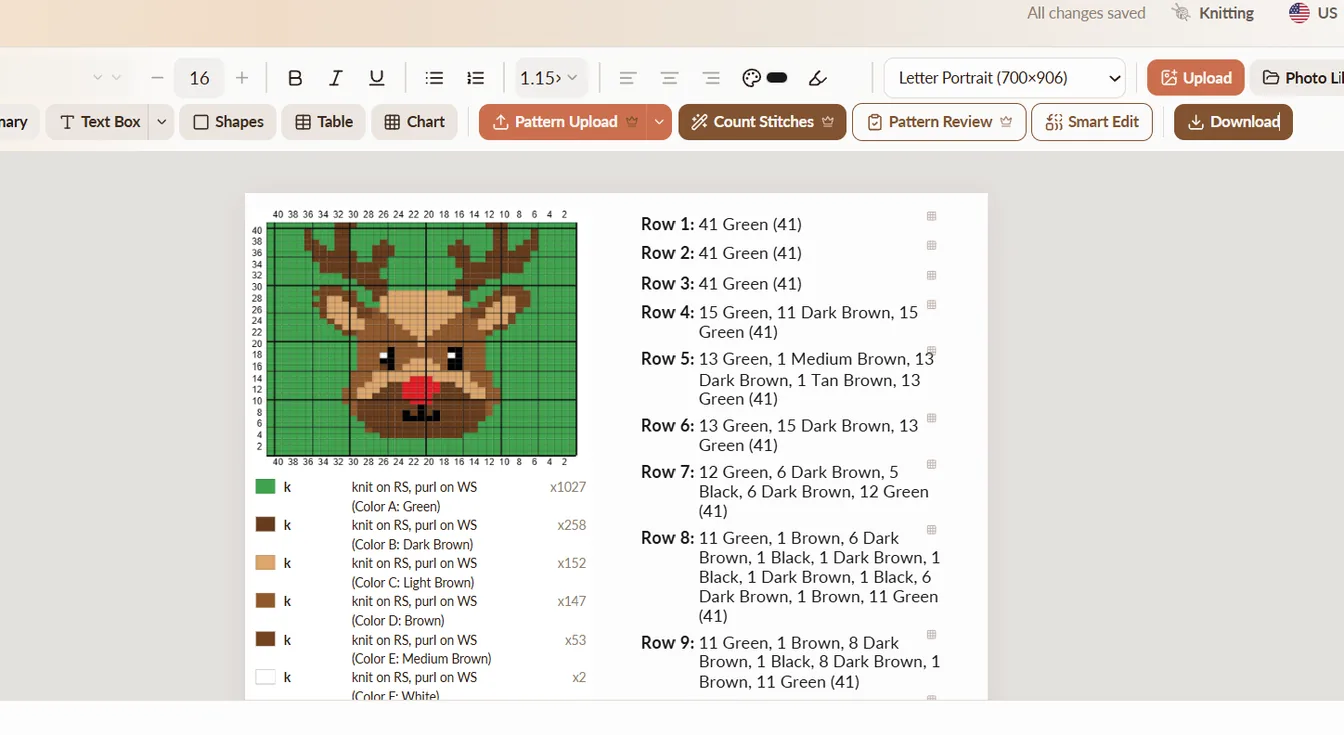
The chart editor itself is a real one. Knitting gets colorwork, lace and cables with Craft Yarn Council or Japanese symbols. Crochet gets colorwork, stitch symbols, filet and free form diagrams. On Pro there’s corner to corner, brioche, double knitting, mosaic, Tunisian and punch cards, plus custom stitches whose symbols you draw yourself. A chart color can be a real colorway from about 85 yarn brands, so the legend says the yarn you actually used instead of Color A.
Rounds and rows number themselves
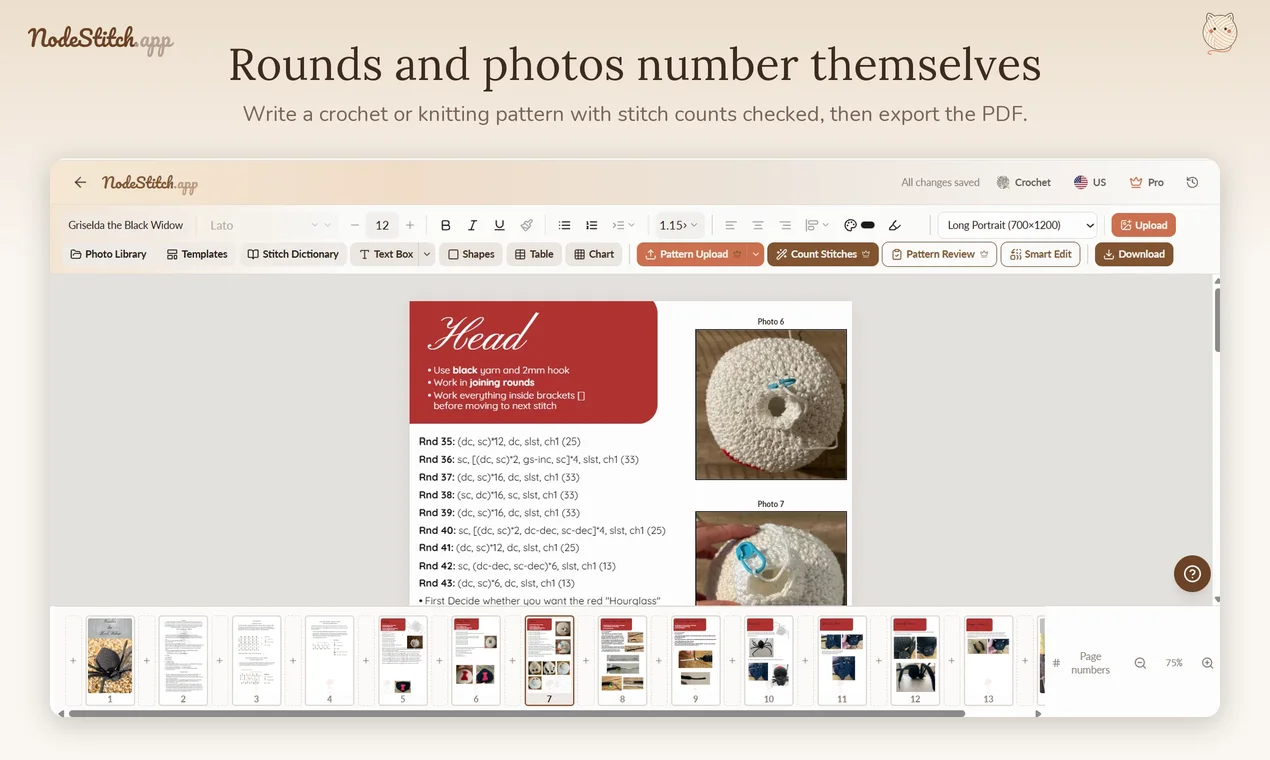
Type in a pattern box and every line is numbered for you: Rnd, Round, Row, R, or your own prefix. Insert a round in the middle and everything under it renumbers. A line covering three rounds shows as a range and the next line carries on from the right number. Notes don’t use up a round number. This is free.
Photos number themselves
Photos are labeled by where they sit in the pattern. Add one in the middle and every label after it moves up by one, and a linked “see photo 12” in your text moves with it. I once had a pattern with over 100 photos, added one in the middle, and spent at least half an hour renumbering the rest. That half hour is the reason this exists. This is free too.
Pattern Review checks the math before a tester does
Pattern Review reads what you wrote and flags a round that needs more stitches than the round before it made, a repeat that doesn’t divide evenly, a fasten off with no rejoin, a gap in your photo numbering, and a “see photo 12” pointing at a photo that isn’t there. Mark your abbreviations as the stitch key and it checks that both ways: stitches you used and never defined, and ones you defined and never used.
Some issues come with a Fix button, but nothing in your pattern changes until you click it. It doesn’t write rounds for you.
The stitch counter is separate: it works out the count for each round and you tick which ones to apply.
Your notebook goes in as a pattern
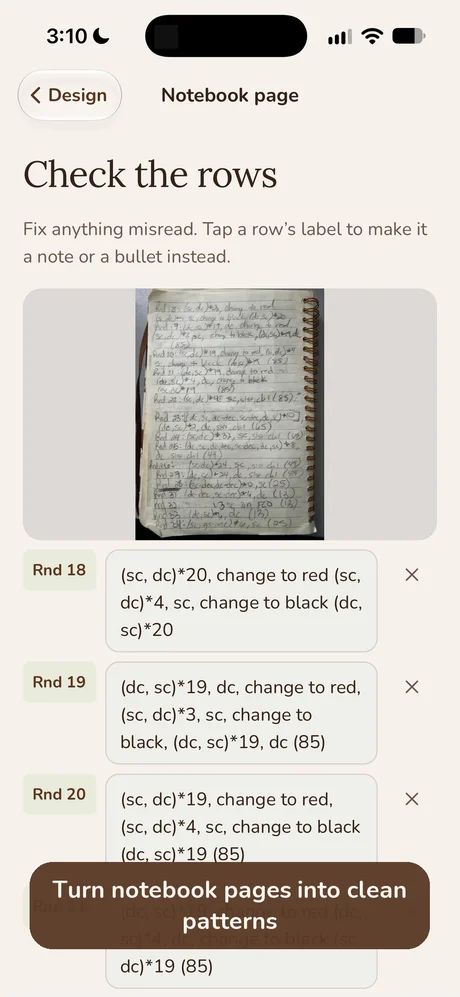
Photograph handwritten pages, up to 30 at once, and they come back as numbered rounds with their stitch counts, not a wall of text. Multi round lines come back as spans, and notes stay notes.
Cross stitch is in there too
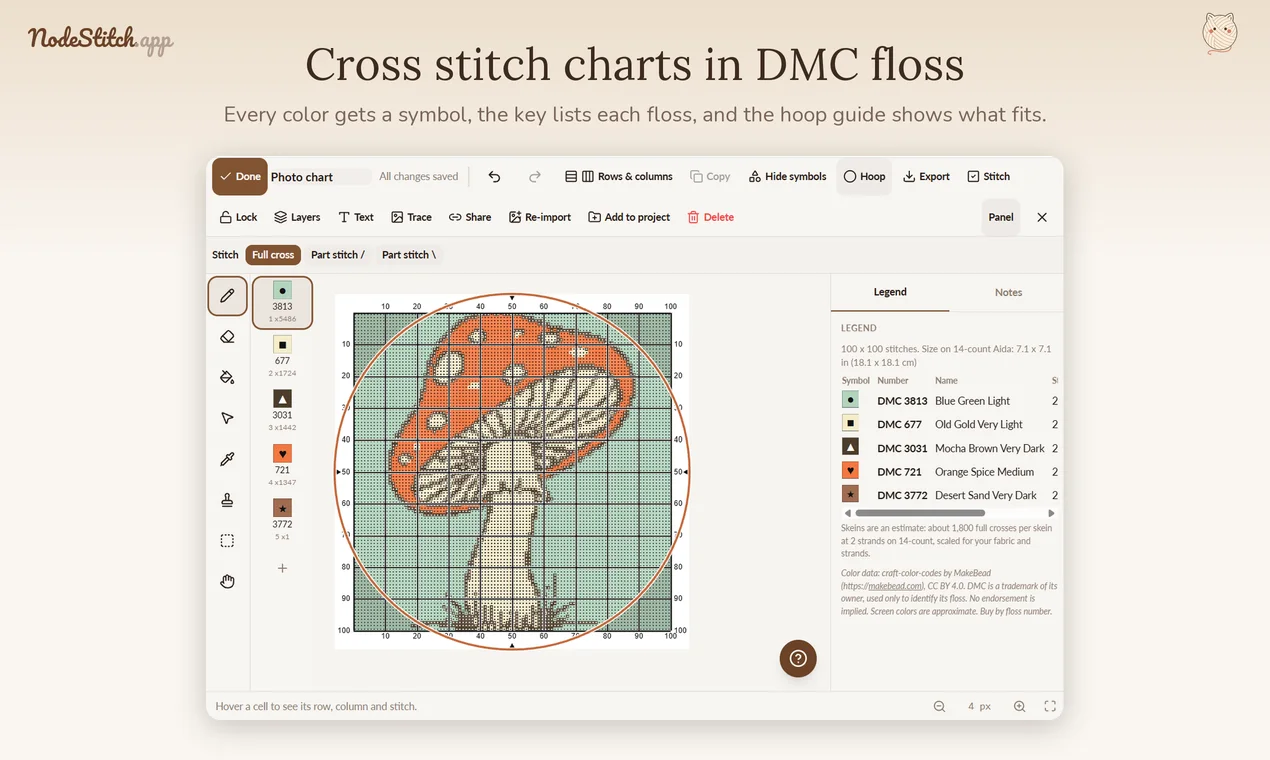
NodeStitch makes counted cross stitch charts in DMC floss, with a symbol for every color, backstitch, part stitches, a hoop guide that shows what fits, and a key with skein estimates. On Pro you can export a PDF that opens in the Pattern Keeper app. It’s the same page, so a cross stitch chart can sit in a pattern with your instructions and photos like any other chart.
From finished pattern to shop listing
Selling the pattern is the last chore, and it’s mostly typing what your pattern already says. Listing details reads your pattern and fills in the hook or needle size, yarn, gauge, finished size, a description and tags, ready to copy into Etsy or Ravelry.
If you sell on Etsy, you can link your shop, pick one to three of your own listings, and have this listing’s title, description and tags written in the same style as the rest of your shop, using only this pattern’s details. Then Send to Etsy as a draft makes the listing in your shop with the photos and the PDF, and you publish it yourself. Sending is a Pro feature, and a free account can send one pattern to try it.
Etsy approved NodeStitch in November 2026, so any designer can link their shop. I wrote up the whole thing, and why I built it, in Listing a pattern was the part I hated, so NodeStitch does it now, and the video shows it start to finish. Sending to Ravelry is coming next.
An iPhone app for the parts that happen away from the desk
A lot of pattern design happens on the couch with a hook in one hand and a notebook in the other. NodeStitch has an iPhone app on the same account as the website, and an Android version on Google Play is coming shortly. It builds stitch charts as well as following them, in the same chart types as the website apart from free-form diagrams.
Capture the pattern while you work. Photograph a notebook page and it’s read into rounds you check before saving. Or dictate rows as you crochet, and Tidy up turns “round one, six single crochet in magic ring” into “Rnd 1: 6 sc in MR”, by fixed rules you can undo. Progress photos go straight into the project, so the rows and photos are waiting when you sit down to lay out the page on a computer.
Test your own pattern like a buyer would. This is the one I like best. From my projects turns any project into a PDF pattern on your phone, including one you’re still writing, so you test it with a row counter, a highlight bar on the round you’re on, and notes on the page. Change the pattern on the website, tap Re-import from project, and your counters and notes stay.
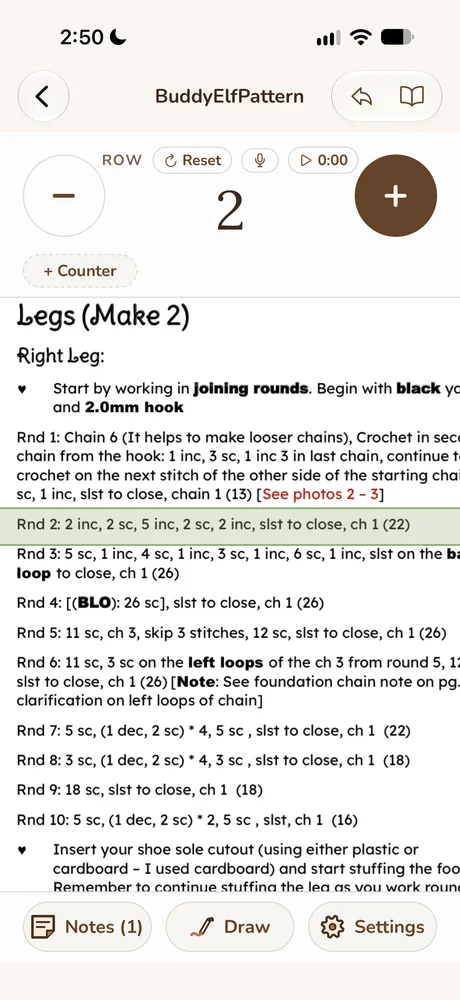
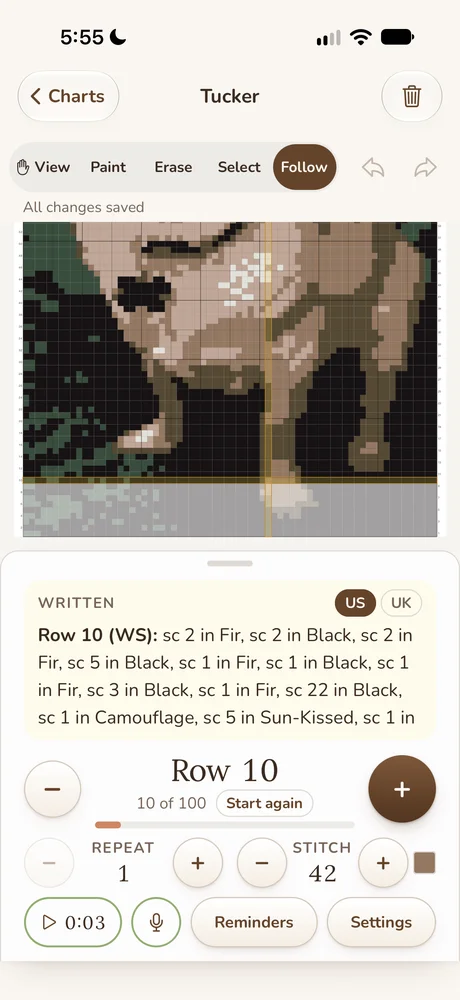
Your charts go with you. It’s the same chart on the phone and the website. Follow mode shows the written instructions for the row you’re on under the chart, and “next row” or “next stitch” moves it by voice when your hands are full. Free and Tracker show the first 3 written rows, and Pro writes out every row. You can chart in crochet, knitting, filet crochet and cross stitch.
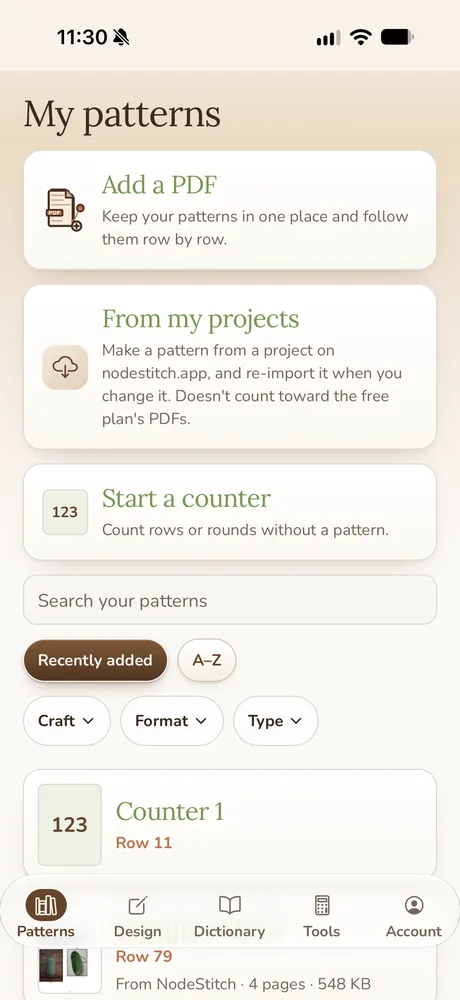
It also follows PDFs you bought from other designers, and has a stitch dictionary and a Tools tab for gauge and yarn amounts. The app is free to start. Tracker, for unlimited patterns and counters, is $2.99 a month, $14.99 a year or $29.99 once, and Pro covers the app and the website together. The whole list is in the iPhone app post.

Made for the designer
That’s the thread through all of it. Canva is built for every kind of document, so it can’t know that a round needs a number or that 6 increases on 12 stitches makes 18. NodeStitch is built around the things only a pattern designer has to deal with: US or UK terms, stitch counts in parentheses, multi round spans, RS and WS rows, testers and buyers reading the same PDF.
When is something else the better pick?
- You only chart, mostly knitting, and want to own the software outright. Stitchmastery.
- You design knitting only and want the charts and the pattern document in one desktop program. EnvisioKnit is worth a look.
- You chart a lot and want the cheapest paid plan. Stitch Fiddle, at $30 a year. I wrote a longer Stitch Fiddle vs NodeStitch post.
- You want to write and lay out the whole pattern on your phone, start to finish. Patternum does that, and lays it out for you automatically instead of on a fixed page. NodeStitch’s phone app captures rows and follows patterns, but the page layout happens on a computer.
- Your pattern is mostly a gorgeous cover and a few lines of text. Canva will make the prettier cover.
If you’re writing a pattern with charts, photos, tables and written rounds that someone is going to pay for, that’s the job NodeStitch was built for.
What does NodeStitch cost?
Writing a pattern is free, with no limit on projects: the page, the round and row numbering, the photo numbering, tables, charts with every drawing tool up to 300 x 300, and PDF export with a small NodeStitch mark in the corner of each page.
A free account also gets three tries in total, shared across Pattern Review, the stitch counter, reading a handwritten pattern, removing the background in a chart from a photo, and writing a listing in your shop’s style. On free, a chart’s written instructions show the first three rows, or you can unlock every row of one chart for $2.99 once. That works for the free chart types, up to 300 x 300; the Pro chart types need Pro.
Pro is $9.99 a month or $99 a year and adds every written row, Add to pattern, the special chart types, charts up to 1,000 x 1,000, PDFs with no mark, and unlimited use of the checks. Through November 30, 2026 (Pacific time), the yearly plan on nodestitch.app is $44.99 instead of $99, and you keep that price for as long as you stay subscribed. Everything Pro includes is here.
Questions designers ask
Is there a free pattern writing program for crochet?
Yes. NodeStitch’s free plan lays out the whole pattern, numbers rounds and photos, draws charts and exports a PDF with a small mark. Stitch Fiddle’s free plan draws charts, and Canva’s free plan makes pages but doesn’t number or check anything.
Can I write crochet patterns in Canva?
You can, and lots of designers do. You’ll number every round and photo by hand, check your stitch counts yourself, and paste in charts made somewhere else. I wrote about what to use instead of Canva or PowerPoint if that’s the switch you’re weighing.
Does NodeStitch write the pattern for me?
No. It numbers, lays out and checks what you write, and it writes rows out from a chart you drew, by fixed rules. The design and the words are yours.
Does it work on a Mac?
Yes. It runs in your web browser on a Mac or a Windows computer, with nothing to install.
Is there a phone app?
Yes, for iPhone, and an Android version on Google Play is coming shortly. It reads notebook pages, takes dictated rows and progress photos into your projects, and follows your own patterns, finished or not, and your charts with a row counter. See the iPhone app post.